
FedEx Sales Mobile App
The first mobile app empowering FedEx sales professionals with actionable customer insights, right at their fingertips
The Challenge
Each month, about 1,500 FedEx Field Sales Account Executives make over 70,000 in-person customer visits to ensure growth and retention of business. In the US alone, Field Sales represent over $14B annual revenue from small and medium customers, making it the most profitable segment at FedEx.
However, there was no mobile answer to obtain customer insights or guide Sales to the next best customer. Sales relied on intuition or endured multiple laptop-based, hard-to-use systems to pull reports while on the move, often using dated and incomplete information to make calls between appointments.
The Objective
FedEx Sales need a custom app that consolidates information from multiple systems. It will save valuable work hours and give immediate insights at their fingertips where they are, on the road.
Role
Design Lead
Duration
11 months (from initial research to product release)
Team
8 core project team members including designer, product owner, developers, and architect
Opportunity Statement
How Might We simplify the Sales experience to enhance productivity and readiness during customer visits through data integration and mobile technology?
Research: Three-day design sprint
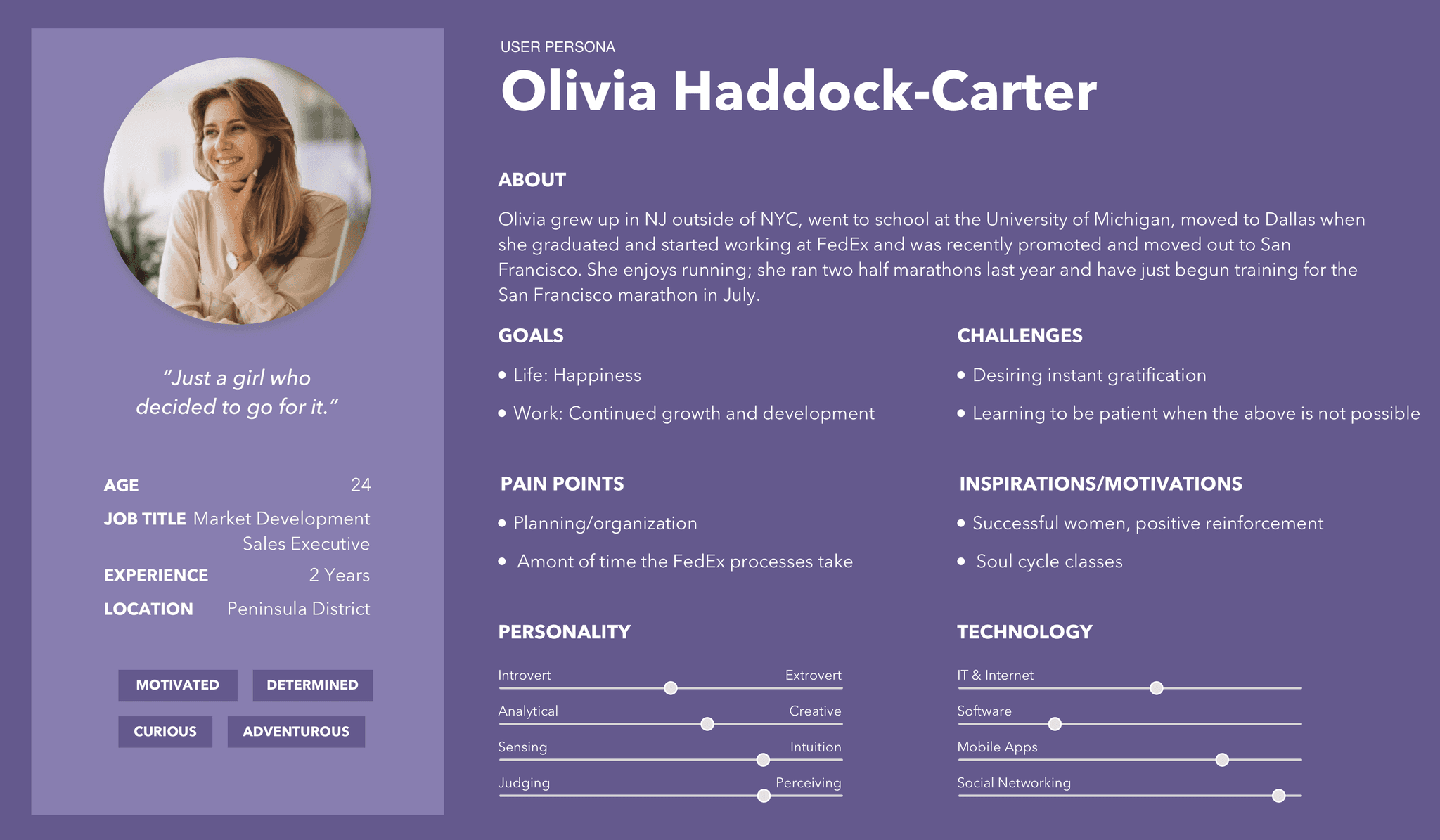
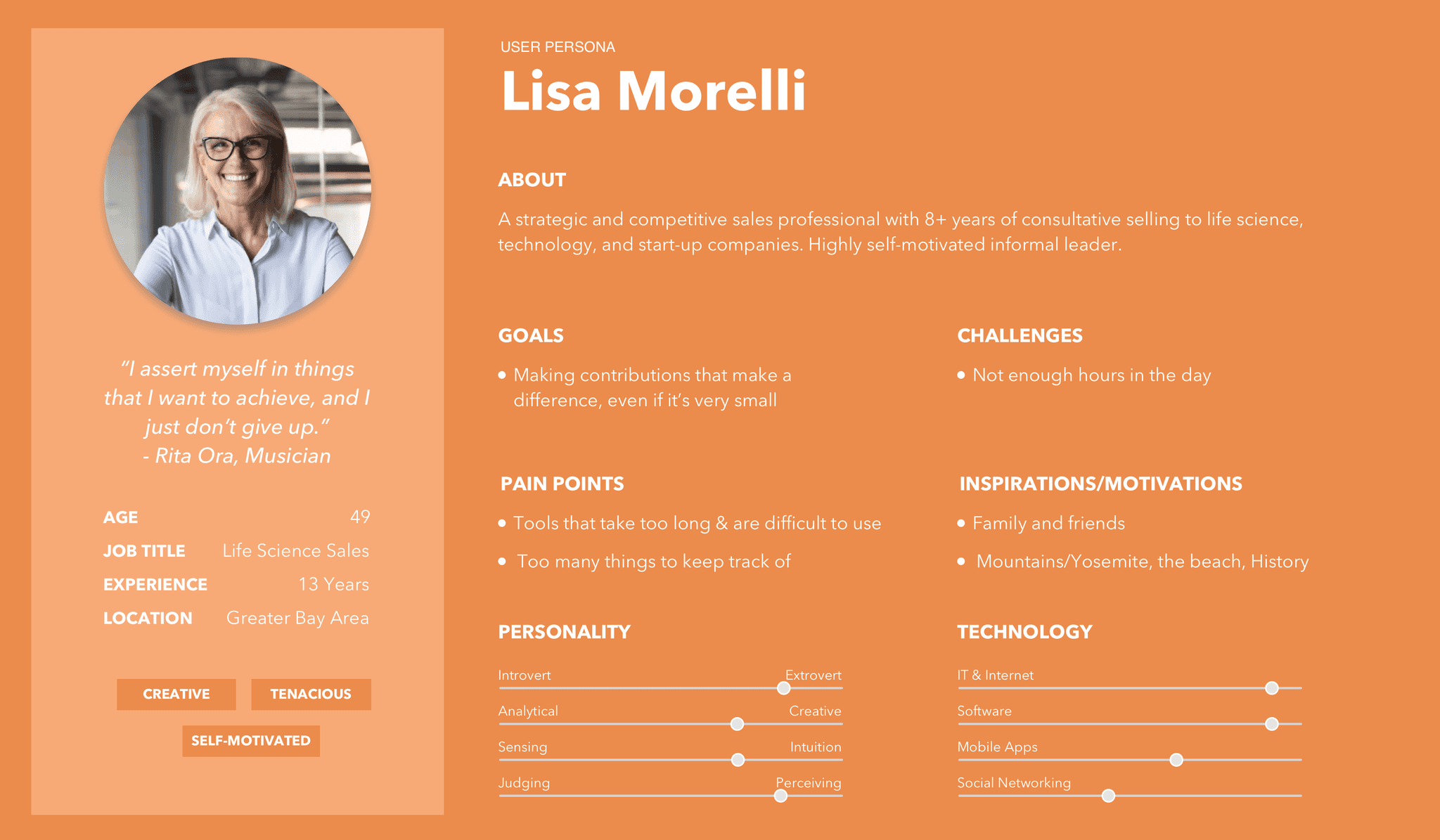
The primary customer insights came from a three-day design sprint with the cross-functional team and a group of selected users, including Field Sales and Regional Worldwide Account Managers in the Bay area.
Sales users were brought into the design sprint to:
Establish Voice of the Customer
Map their current workflow and touch points
Uncover their pain points and unmet needs
A representative sample of users were selected based on:
Tenure
Comfort with technology
Types of customers covered
Expertise
Demographic composition
Day 1: Empathize and define
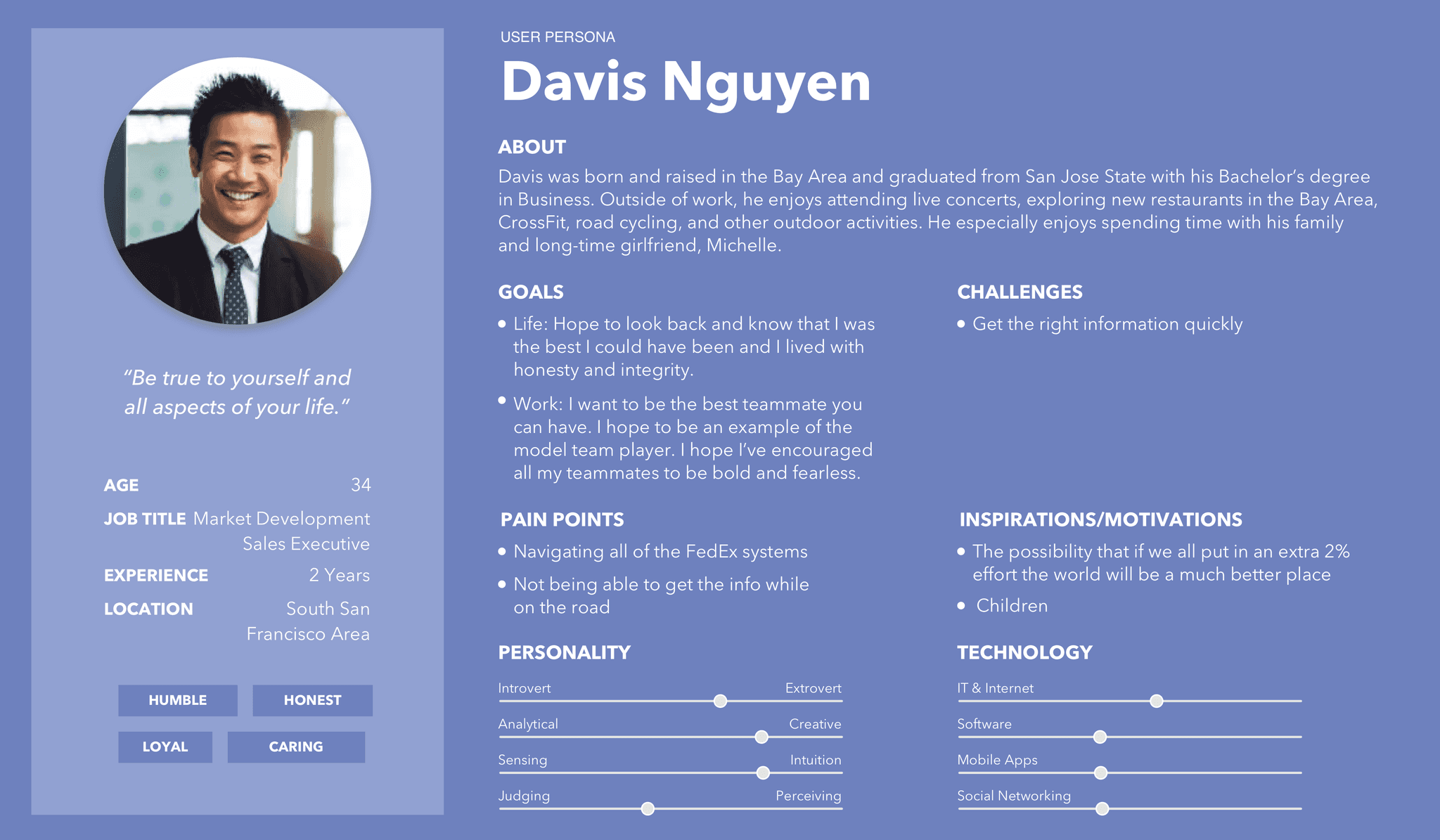
PROCESS MAPPING
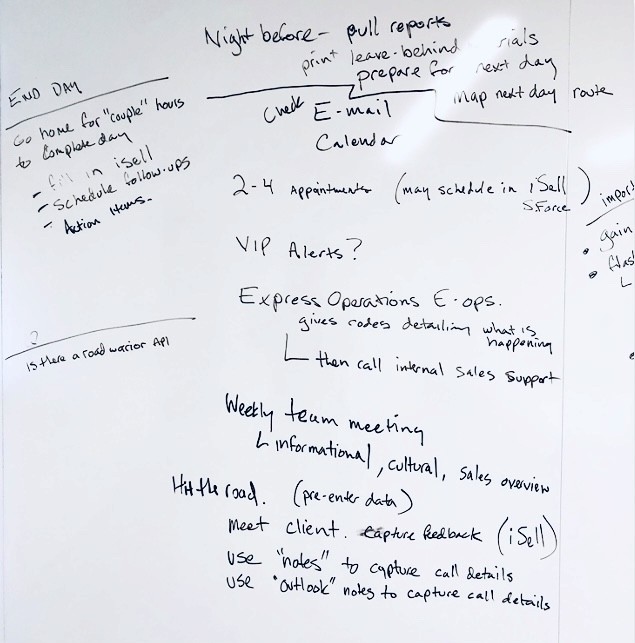
A day in the life of a Sales Account Manager
During immersive user research sessions, I collaborated with Sales users to map out their daily activities and tools, from the night before to the end of the day. This included monitoring sales territory, preparing for and conducting customer meetings, presenting and taking notes, solving customer problems, scheduling follow-ups, and eventually closing the call.
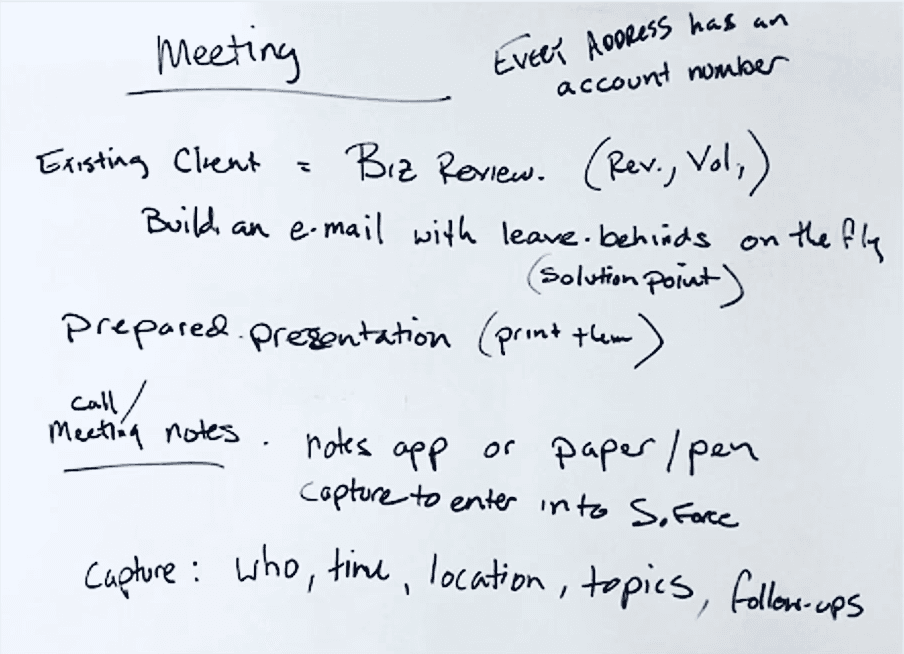
PAIN POINT ANALYSIS
What are the major challenges for users?
Through process mapping, I identified and compiled a list of pain points Sales were experiencing in their current workflow. I then invited users to rank these issues based on severity to better understand their importance.
I don't know who is the next best customer to visit. I can find their addresses in the CRM, but there's no way to easily visualize their geographical proximity.
It's frustrating to miss geographically easy calls. I wish I could strategize my call cycle.
It's difficult to take notes on a computer in front of the customers. I won't be able to make eye contact with them while typing.
I often transfer my notes from notepad to the CRM over the weekend. It's a lot of redundant work.


I have to pull over and open my laptop while on road, then compute within several reports to see which customer is gaining or declining.
We don't have a quick way to see all our customers on a single list and look up their status/health. It's hard to know which customers are overdue for a call.

THE GOLDEN THREAD
What does an ideal user journey look like?
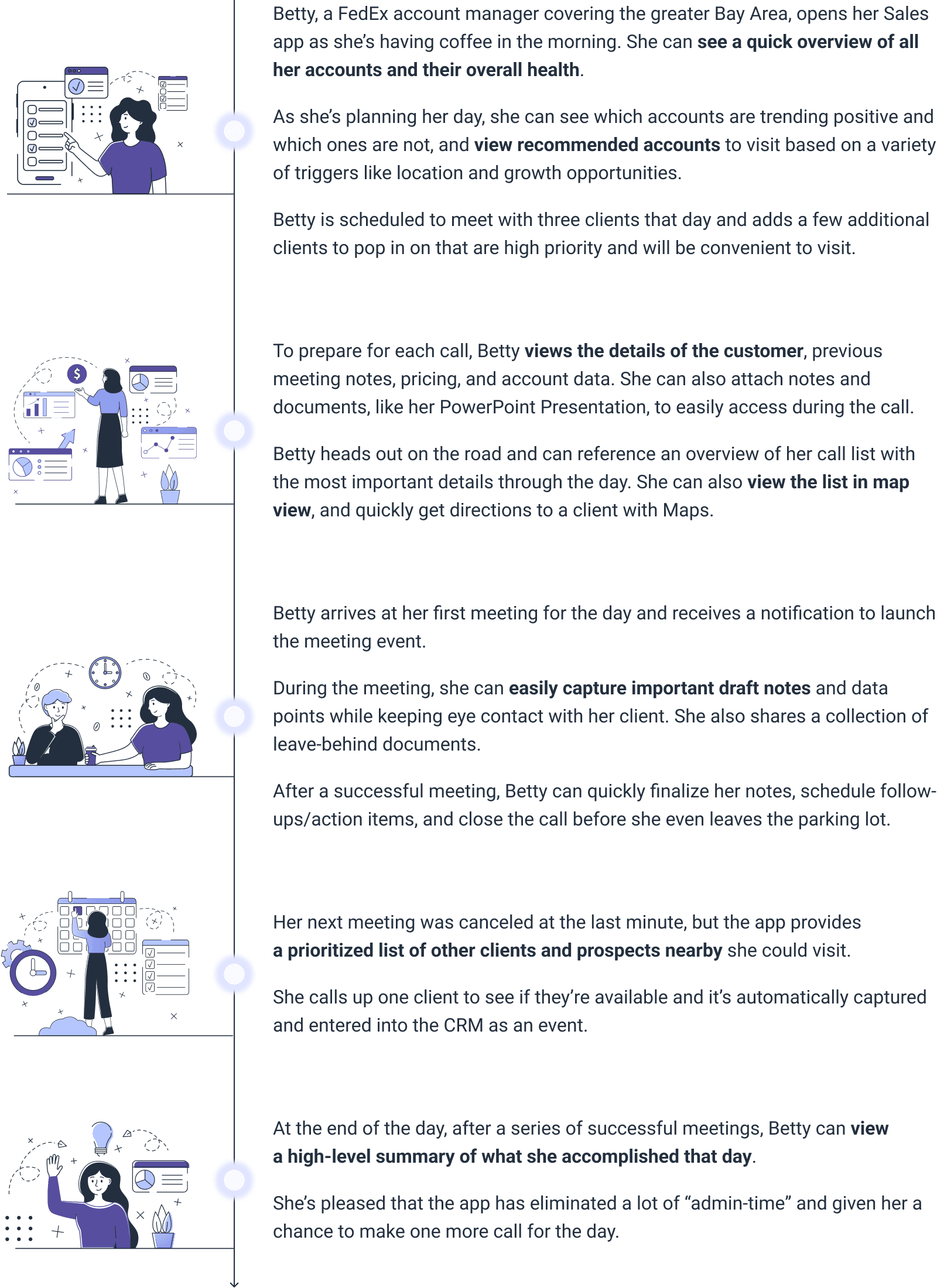
The Golden Thread is an effective storytelling method that illustrates users' ideal journey in a narrative format. It served as our North Star vision, frequently referenced throughout the project to ensure we stayed true to the voice of the user.
To help the audience resonate with the story, I created a fictional FedEx Account Manager named “Betty.”
GAP ANALYSIS & DESIRED FEATURES
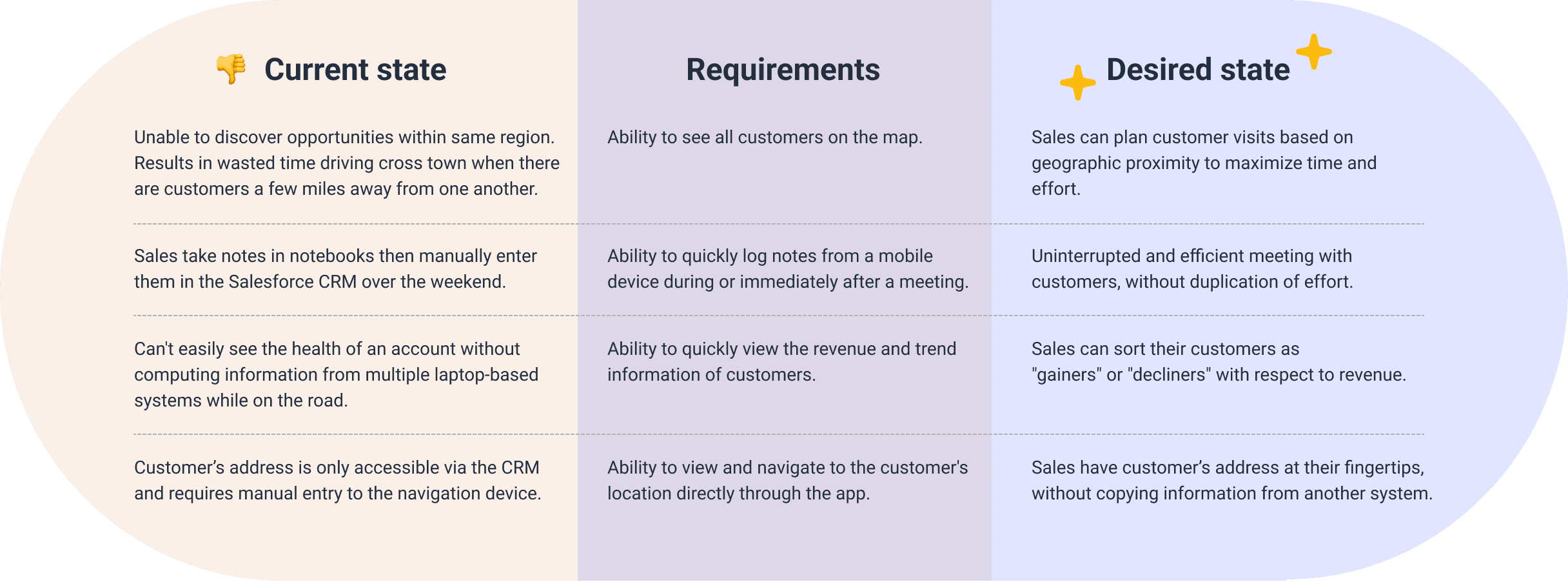
How to close the gap between current state and desired state?

Day 2 & day 3: Ideate and prototype
Sketching and prototyping took center stage in the following two days of the design sprint, with every intricate detail of the design undergoing user review. Without any guiding instruction, Sales users carried out their daily tasks via the working prototype. I observed their reactions in this process, meticulously recording any confusions, questions, or "aha" moments they had.
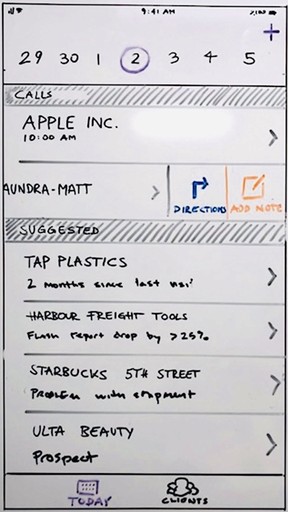
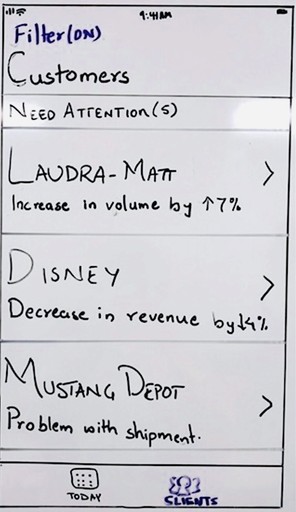
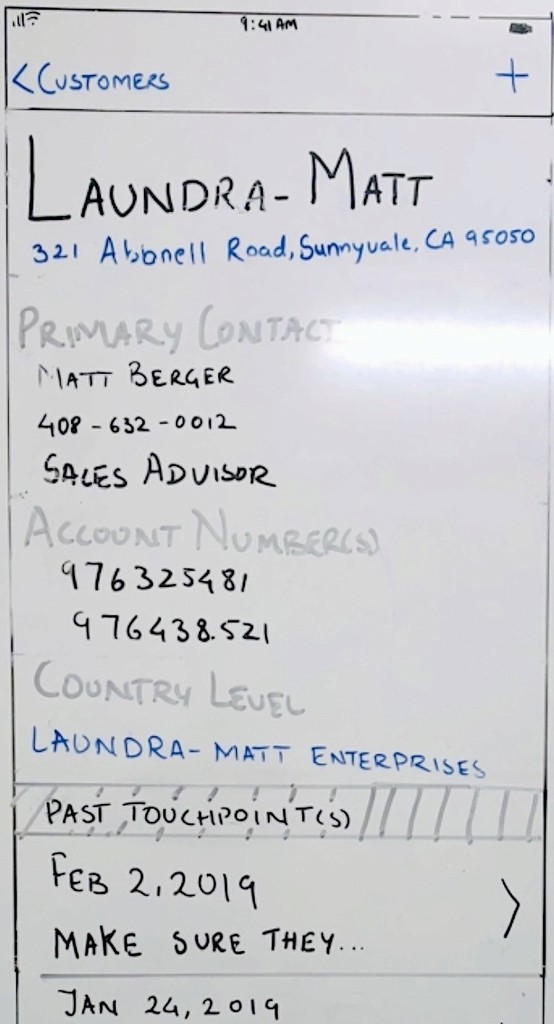
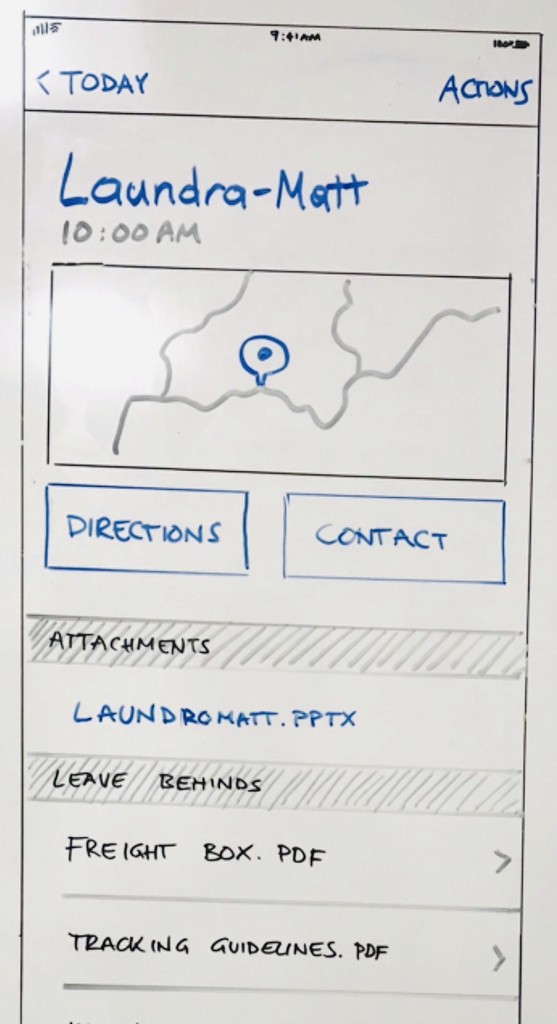
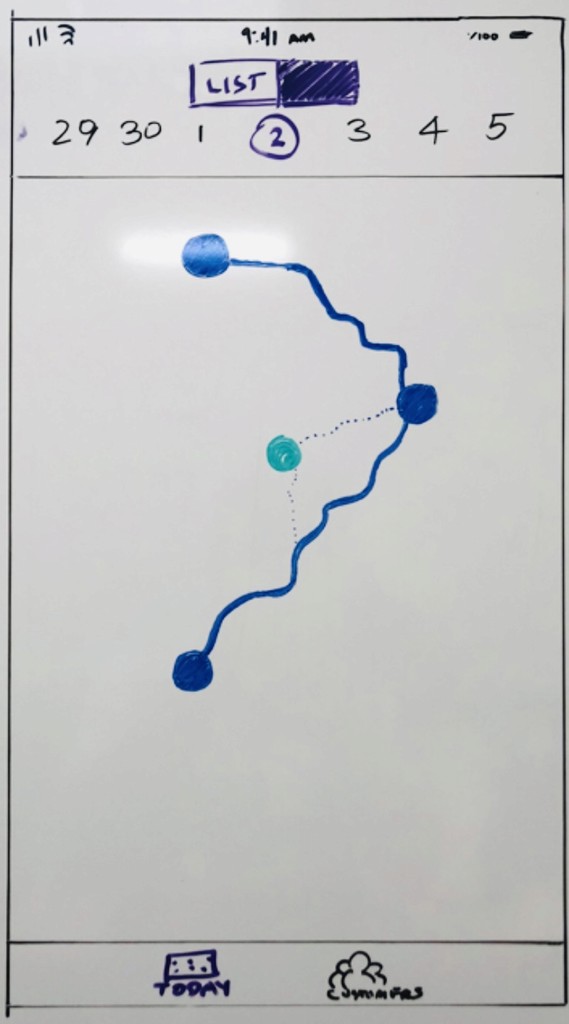
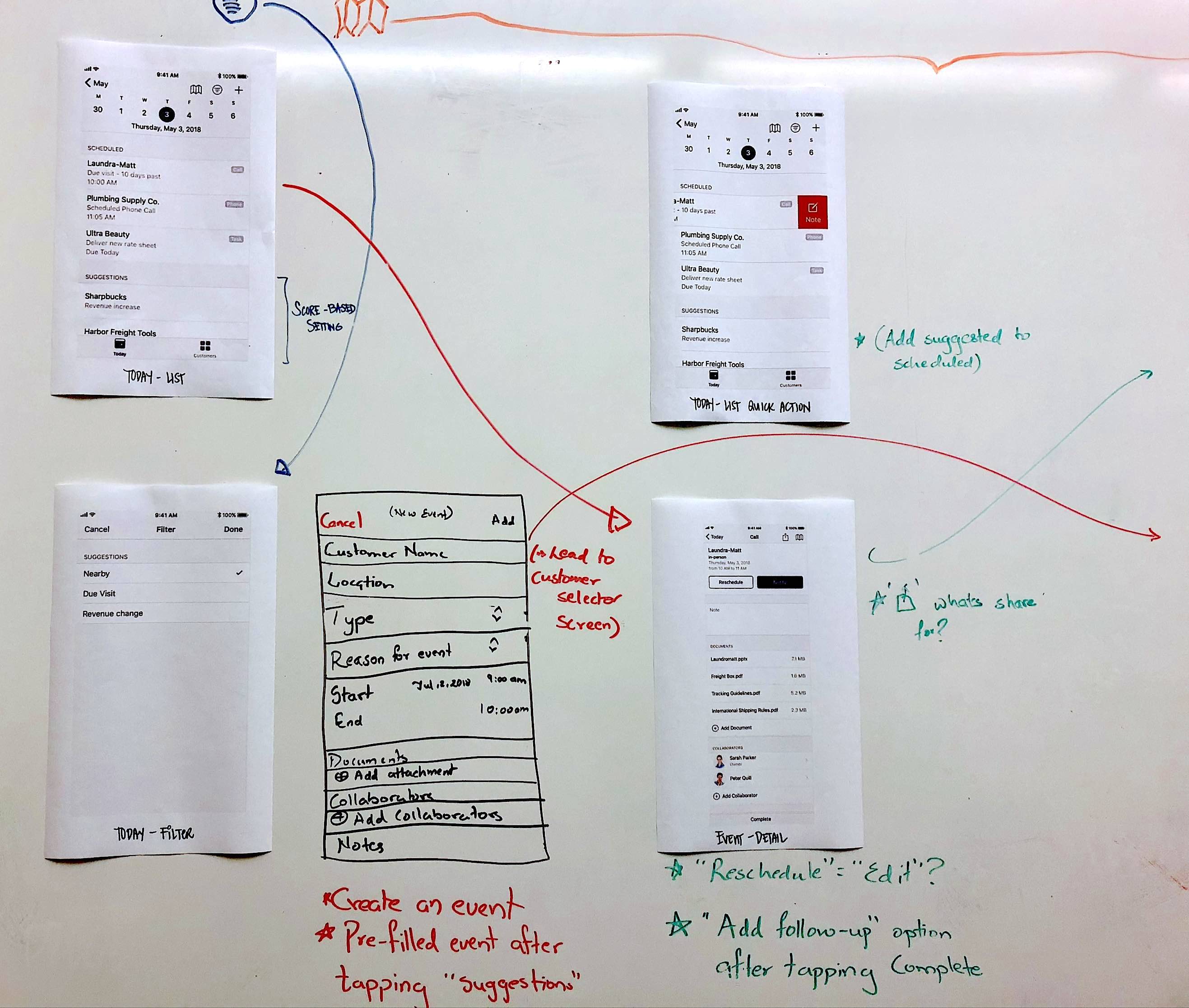
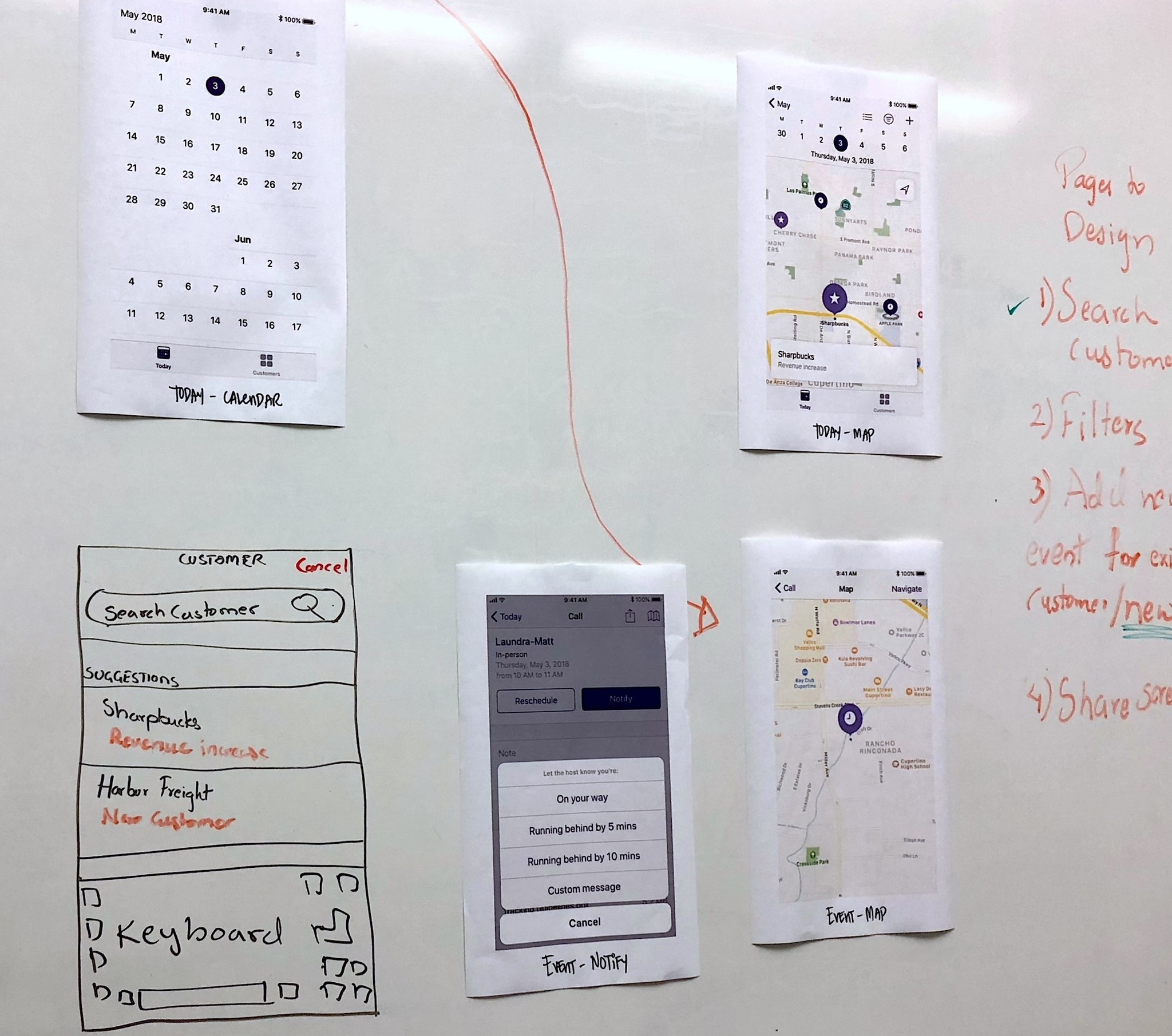
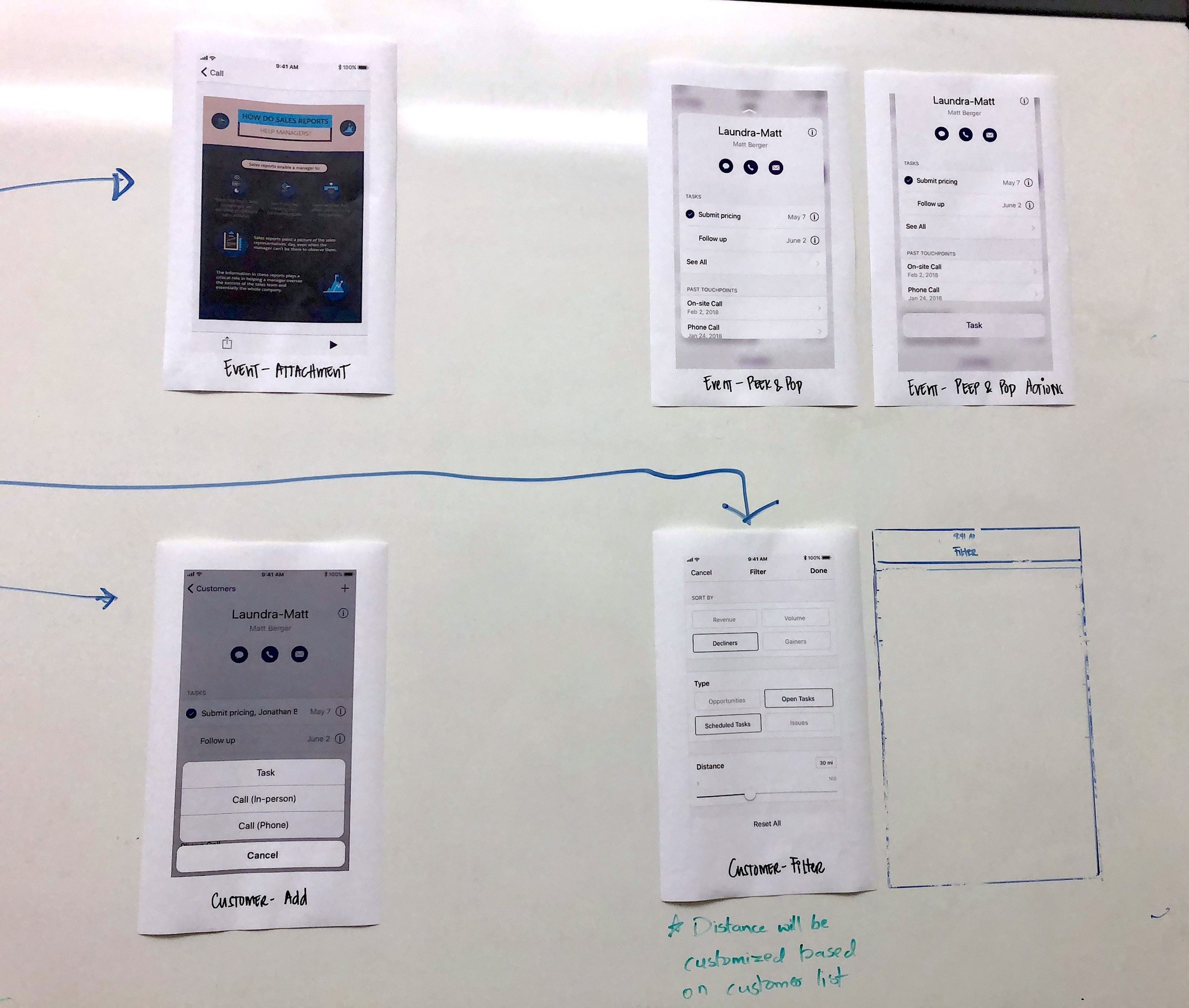
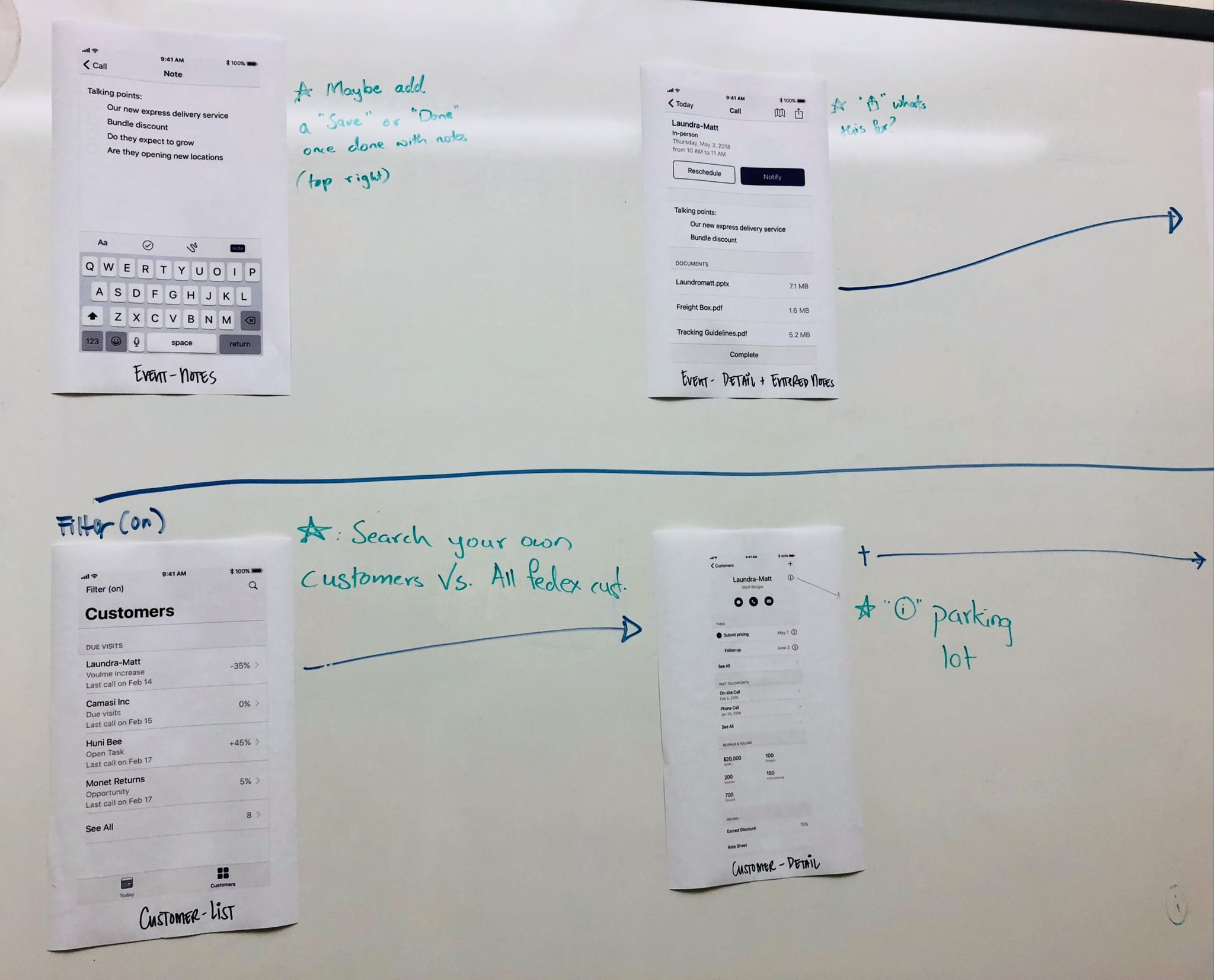
Day 2: Preliminary low-fidelity wireframes were created and presented to users for feedback
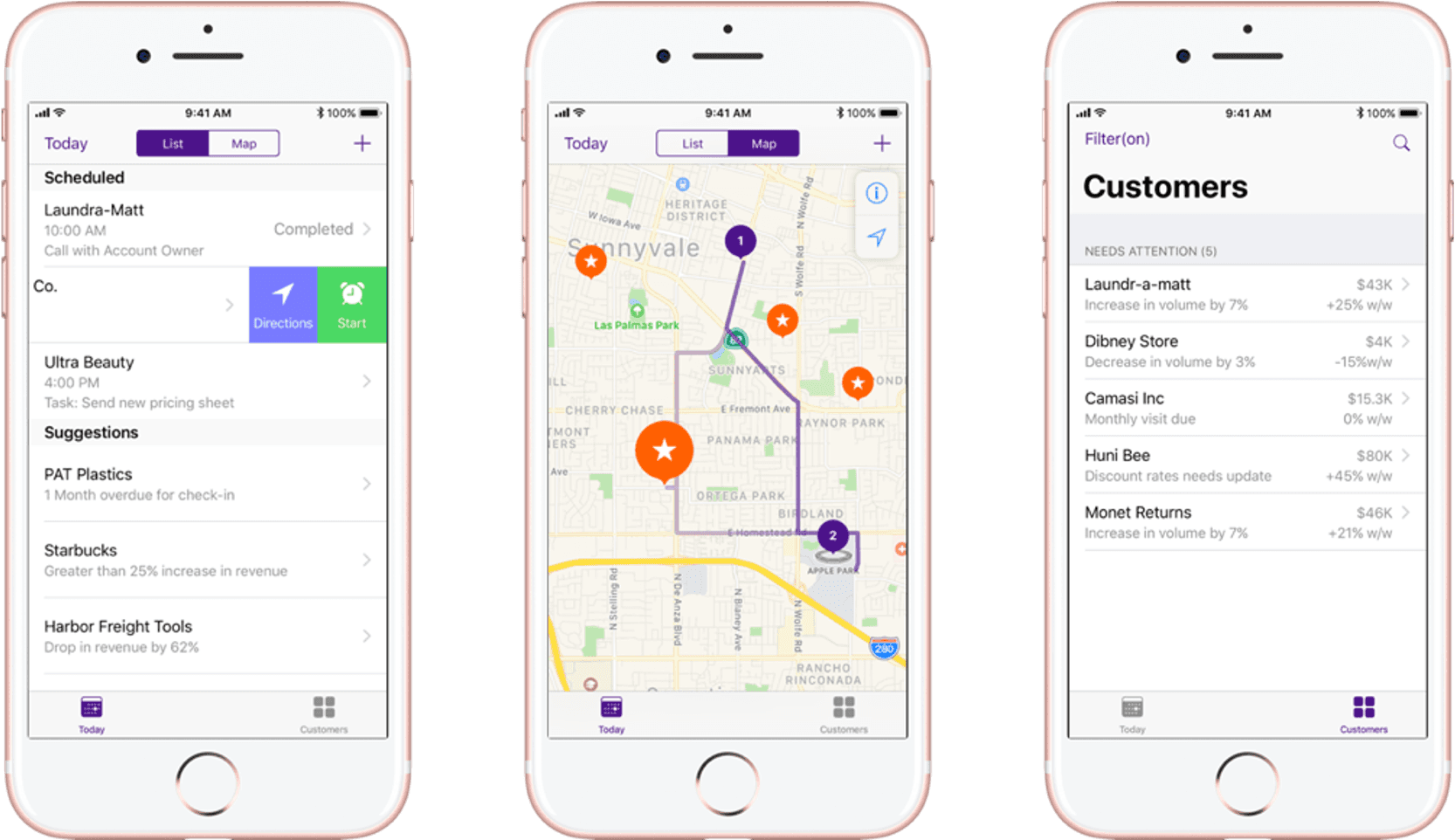
Day 3: High-fidelity prototypes were created for users to experiment with
Post design sprint: Multiple rounds of iterative prototyping and testing
Following the design sprint, I continued refining details with the team and conducted multiple rounds of iterative prototyping. I performed usability testing with a fresh set of users to ensure the app was intuitive and the design solution was unbiased. I also involved the Engineering team at every turn, making sure everything I proposed was technically viable.
Pilot with 35 geographically selected users
The team conducted a 3-week pilot study in challenging areas for a mobile app with geolocation capabilities, including New York City, North Dakota, and the Bay Area.
As a result of the pilot, Sales calls increased by 10%. Users adopted the app instantly, with no training required.
In a notable success, a Sales team member, after just 30 minutes using the app, successfully presented a demo to Field Sales Officers and Directors. This achievement garnered buy-in and full support from leadership for our team.
🌟 Delivery: Sales start using TRAC
In collaboration with multiple internal teams such as Enterprise Mobility and InfoSec, we successfully launched TRAC after 6 months of development, testing, and marketing preparation. The app syncs in real-time with the Salesforce CRM via an in-house developed synchronization engine.
Most importantly, TRAC marked the first mobile product ever delivered into Sales' hands! 🎉
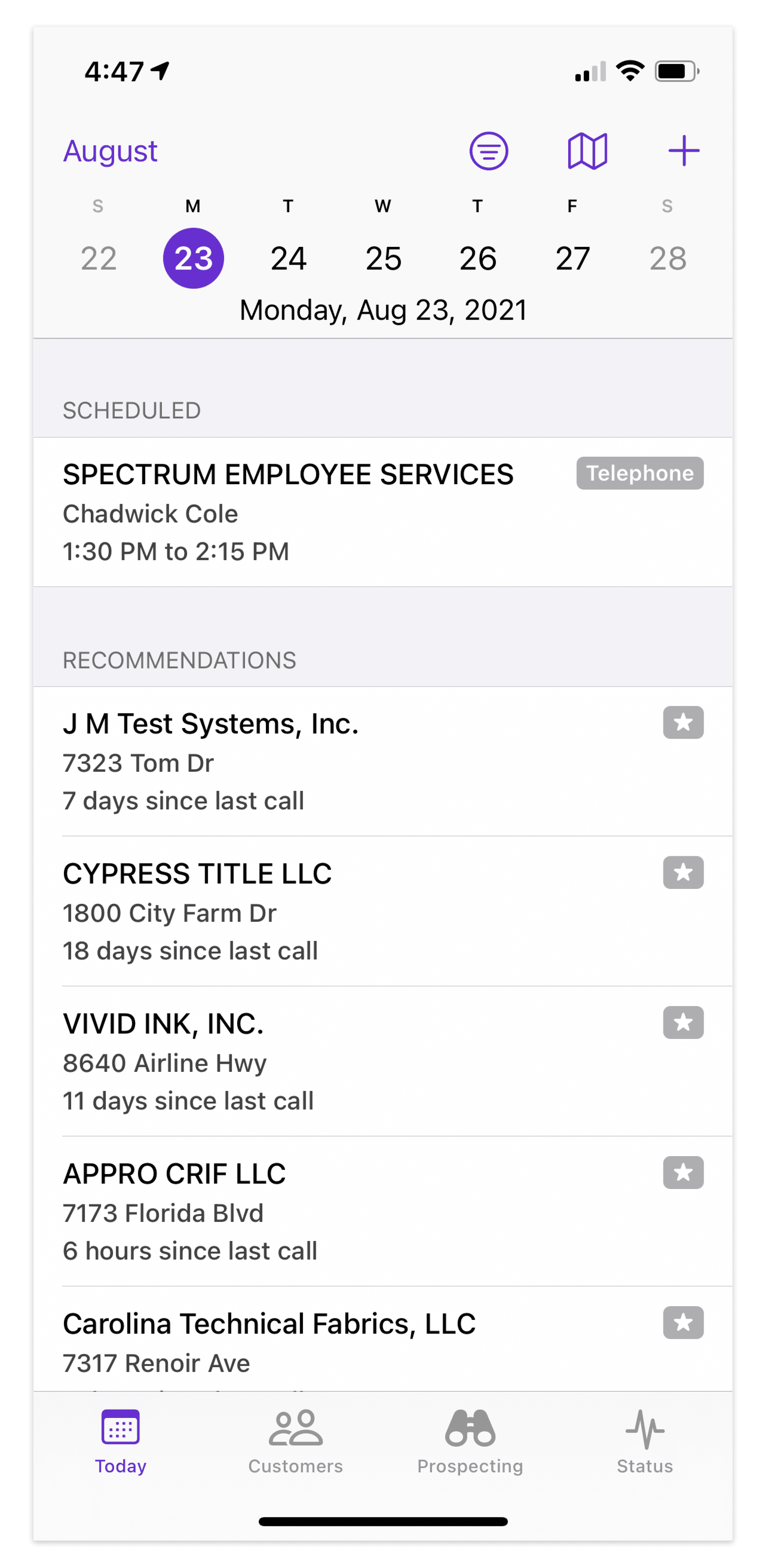
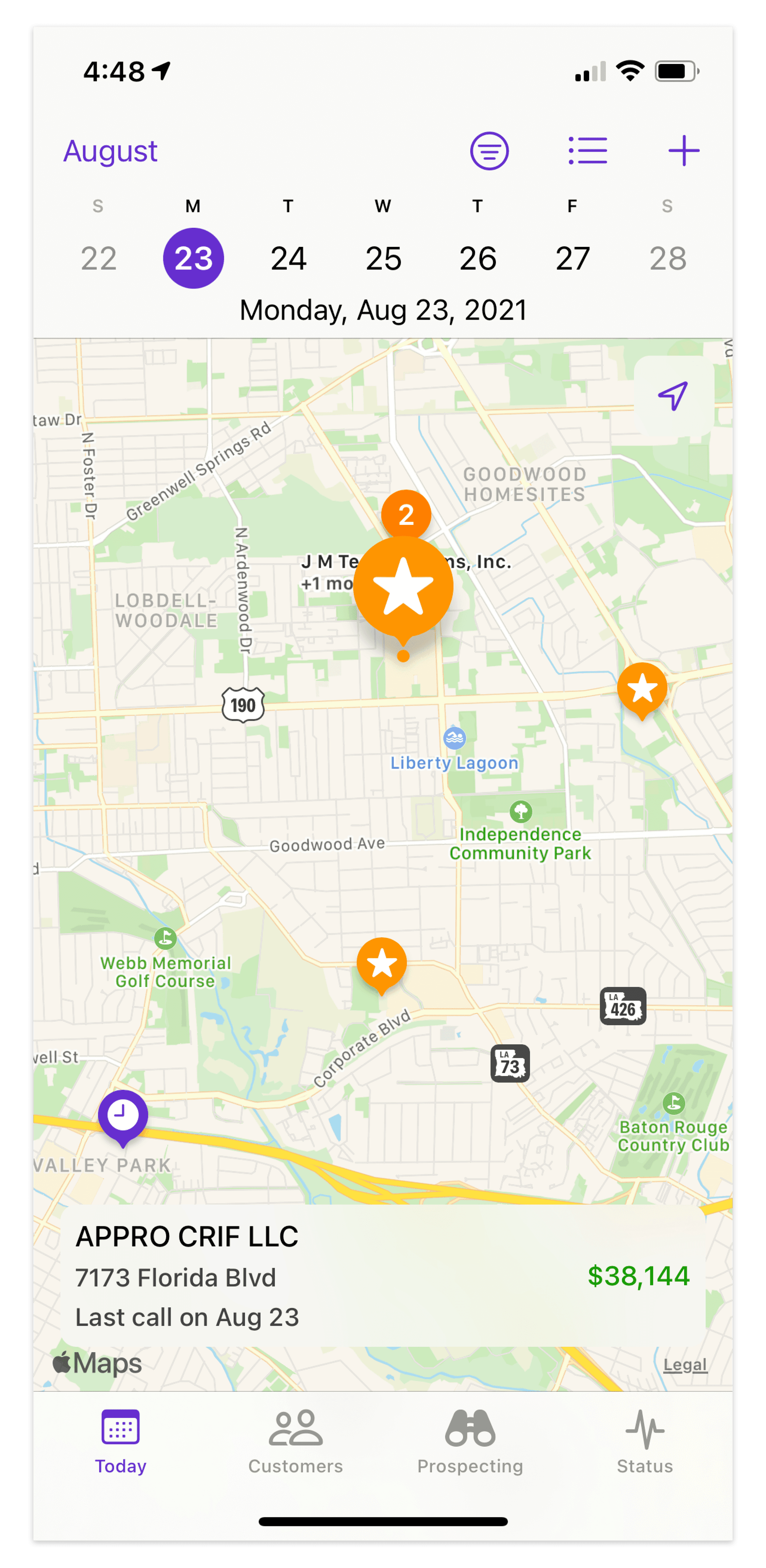
TODAY TAB
Maximized daily sales efficiency
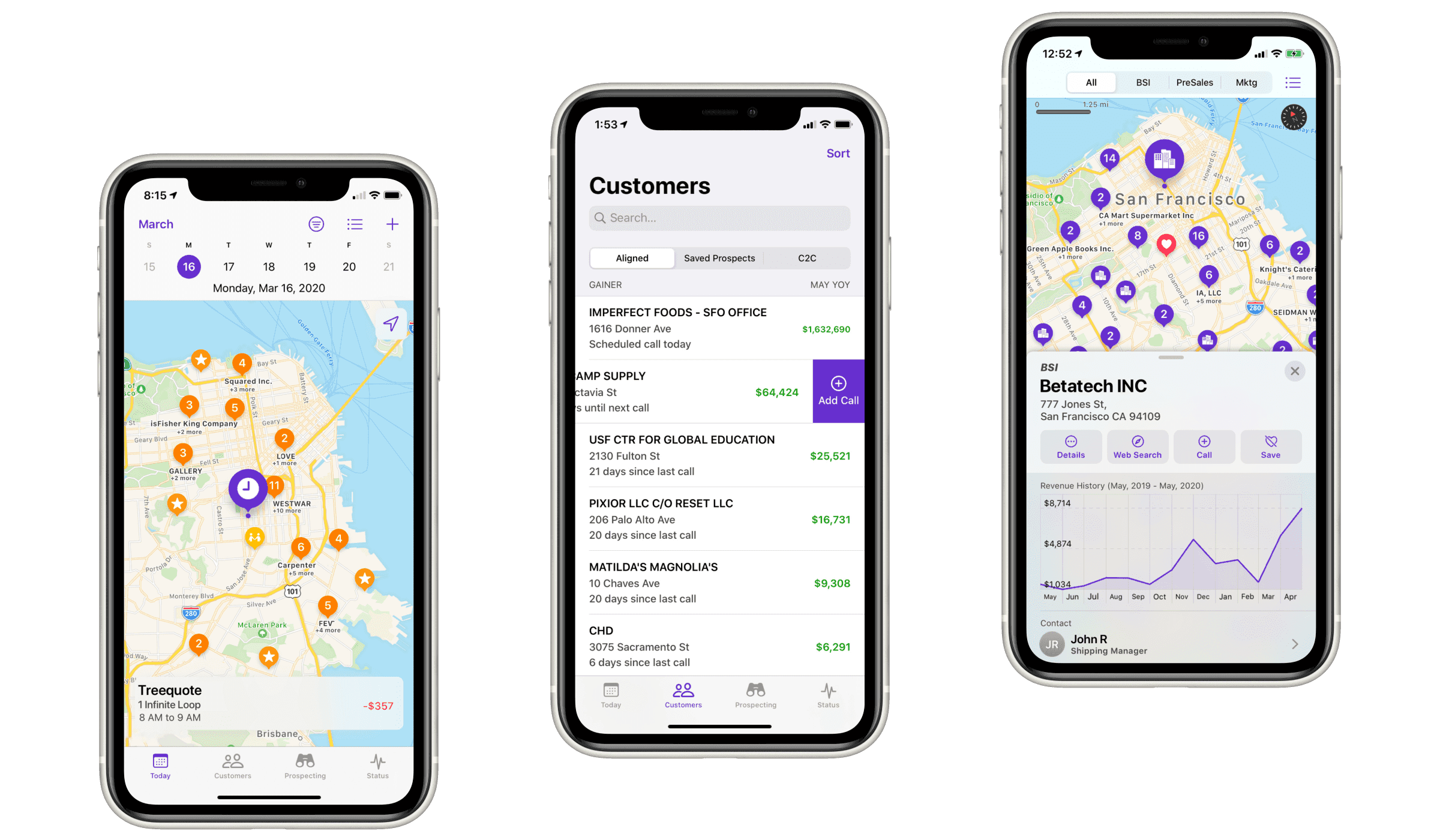
The Today tab has everything you need to know about the day, featuring scheduled, recommended, and completed calls.
Easily toggle between List view and Map view to swiftly review all calls and pinpoint their locations on the map.
Built-in navigation eliminates manual address entry hassles.
Proactive Recommendations help you reach out to the right customers, at the right time
CUSTOMER TAB
Streamlined customer management
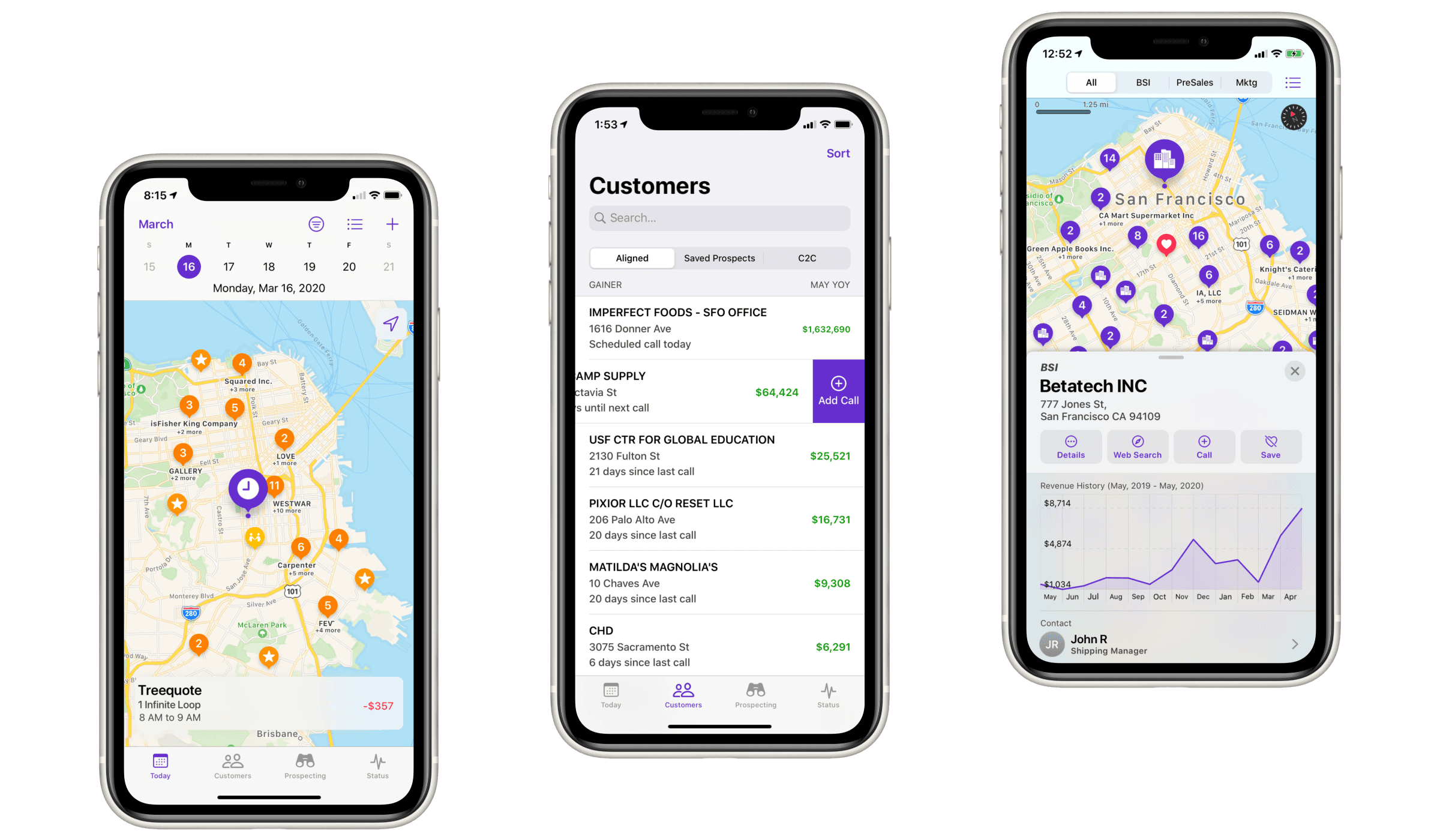
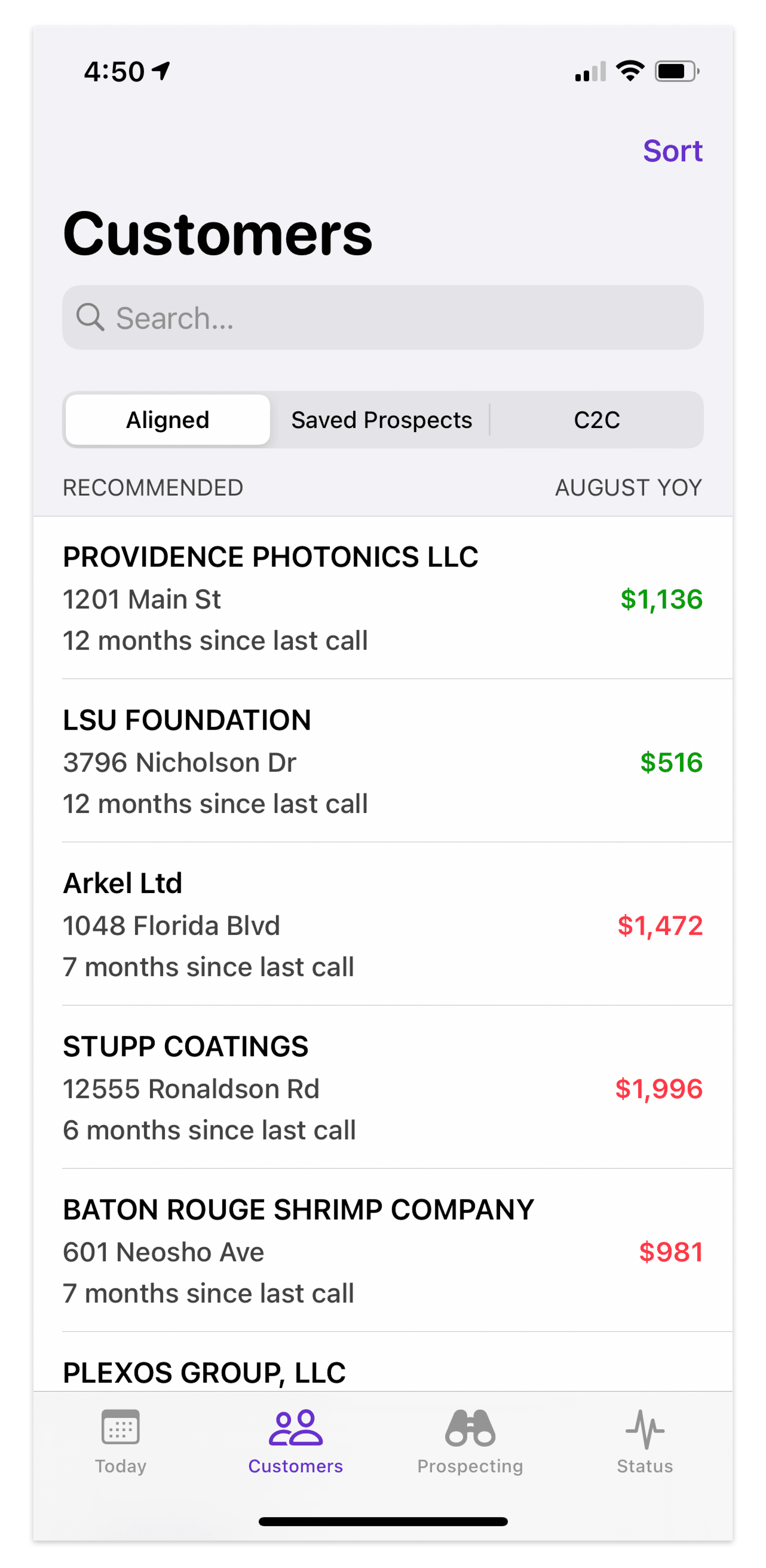
The Customers tab offers a comprehensive list of all your customers with intuitive categorization.
Quickly view each customer's year-over-year revenue, location, and the number of days since your last call.
Simply swipe to add a call—it's that easy.
Powerful searching and sorting functionality enables quick access to the right customer, with options to sort by Gainers, Decliners, Recommended, Last Call, Vicinity, and more.
CUSTOMER DETAILS
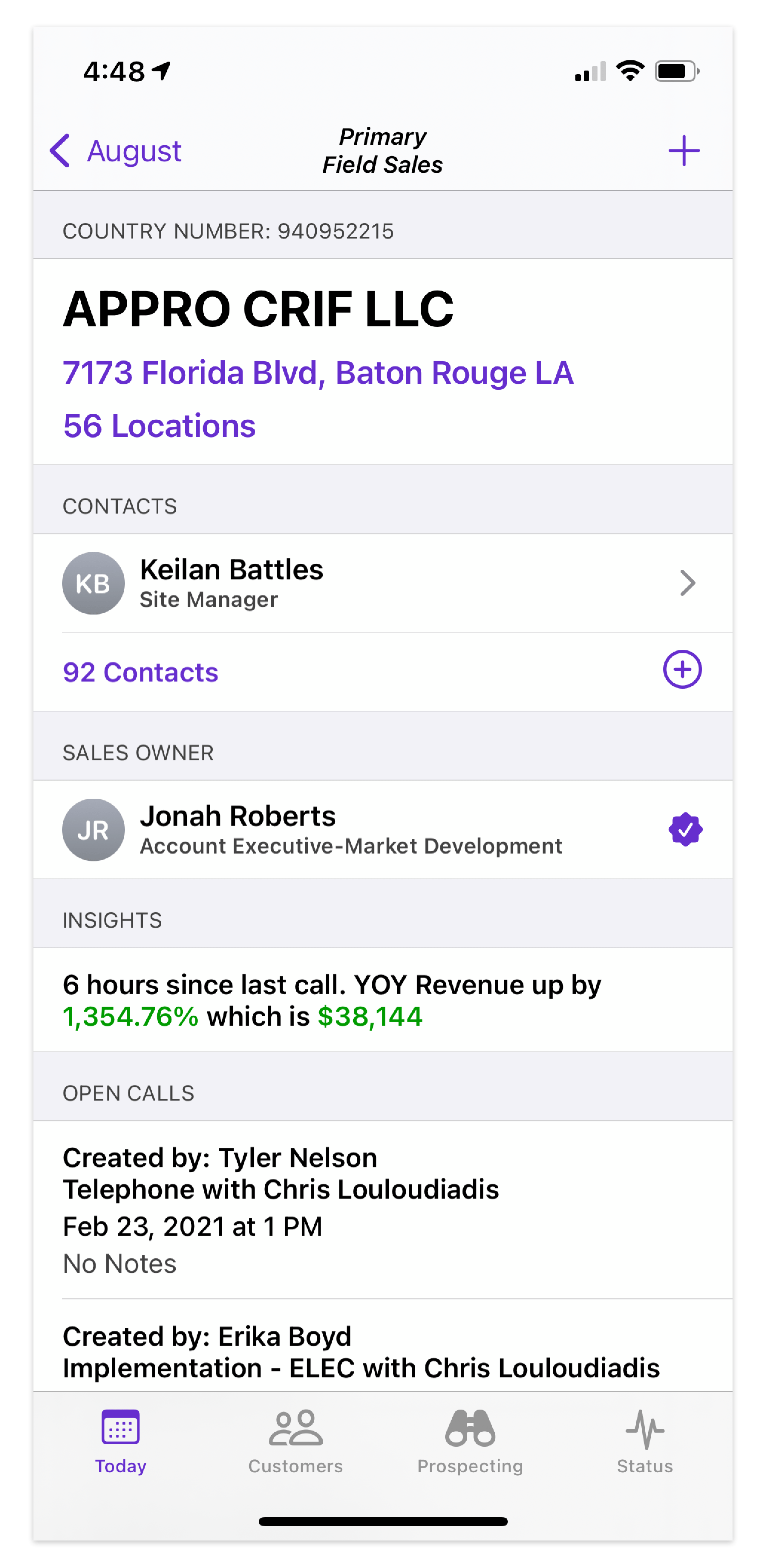
Holistic customer account health view
Easily access insights, contacts, and upcoming appointments by tapping on a customer.
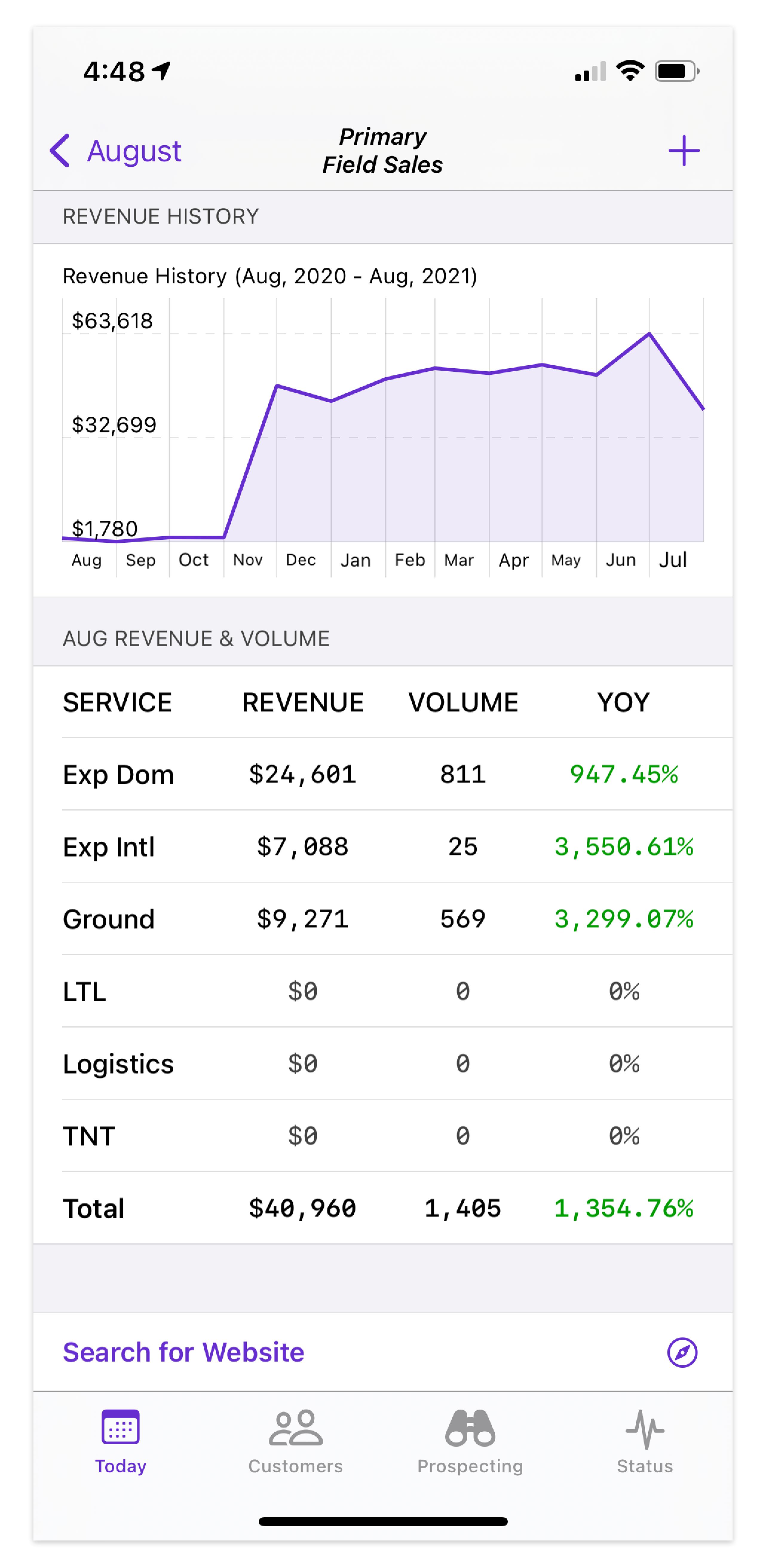
View monthly Revenue and Volume breakdowns by service type through interactive data visualization.
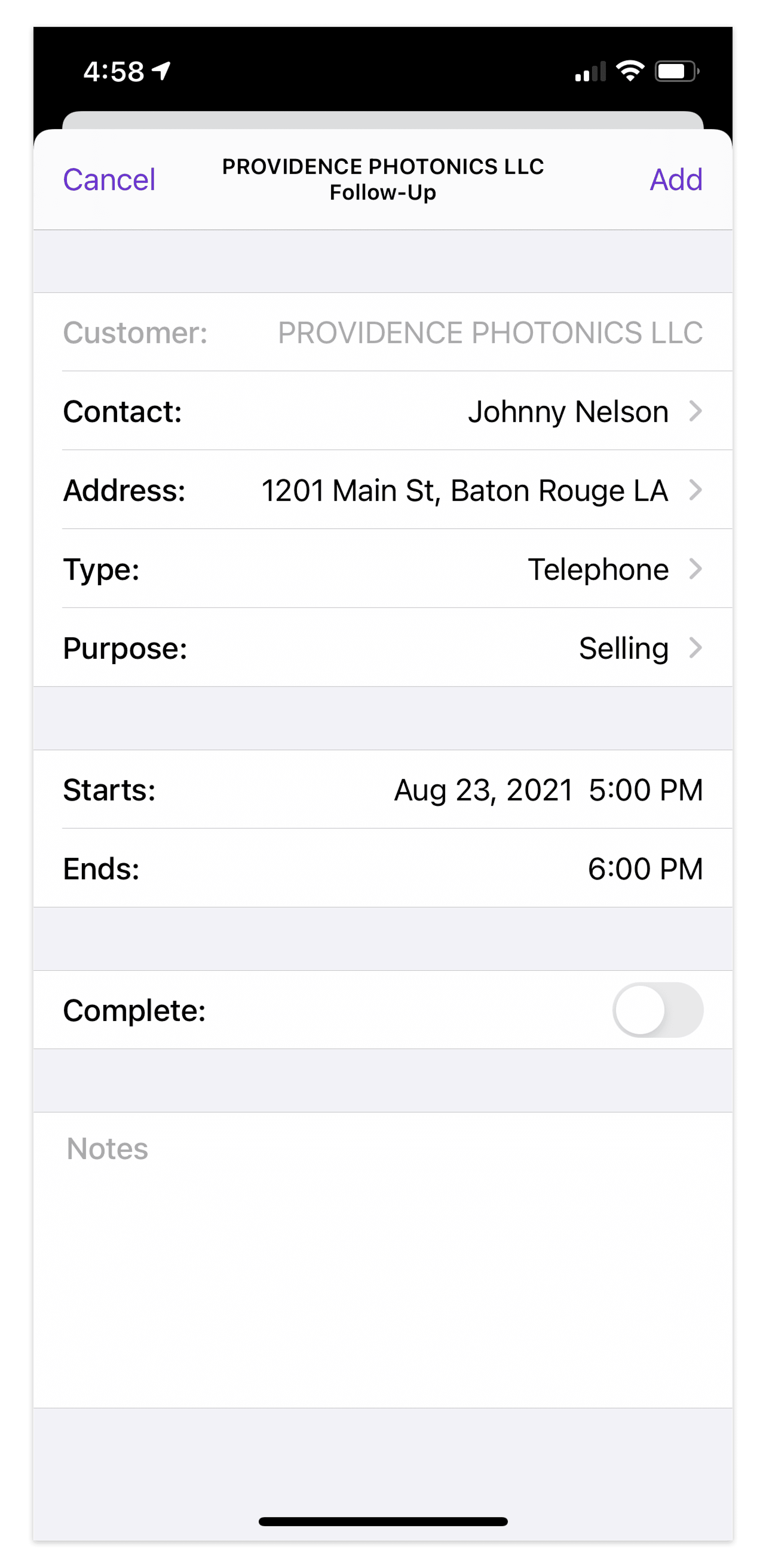
Manage calls directly within the app, eliminating the need for desktop systems.
The speech to text feature using Siri enables effortless call note dictation.
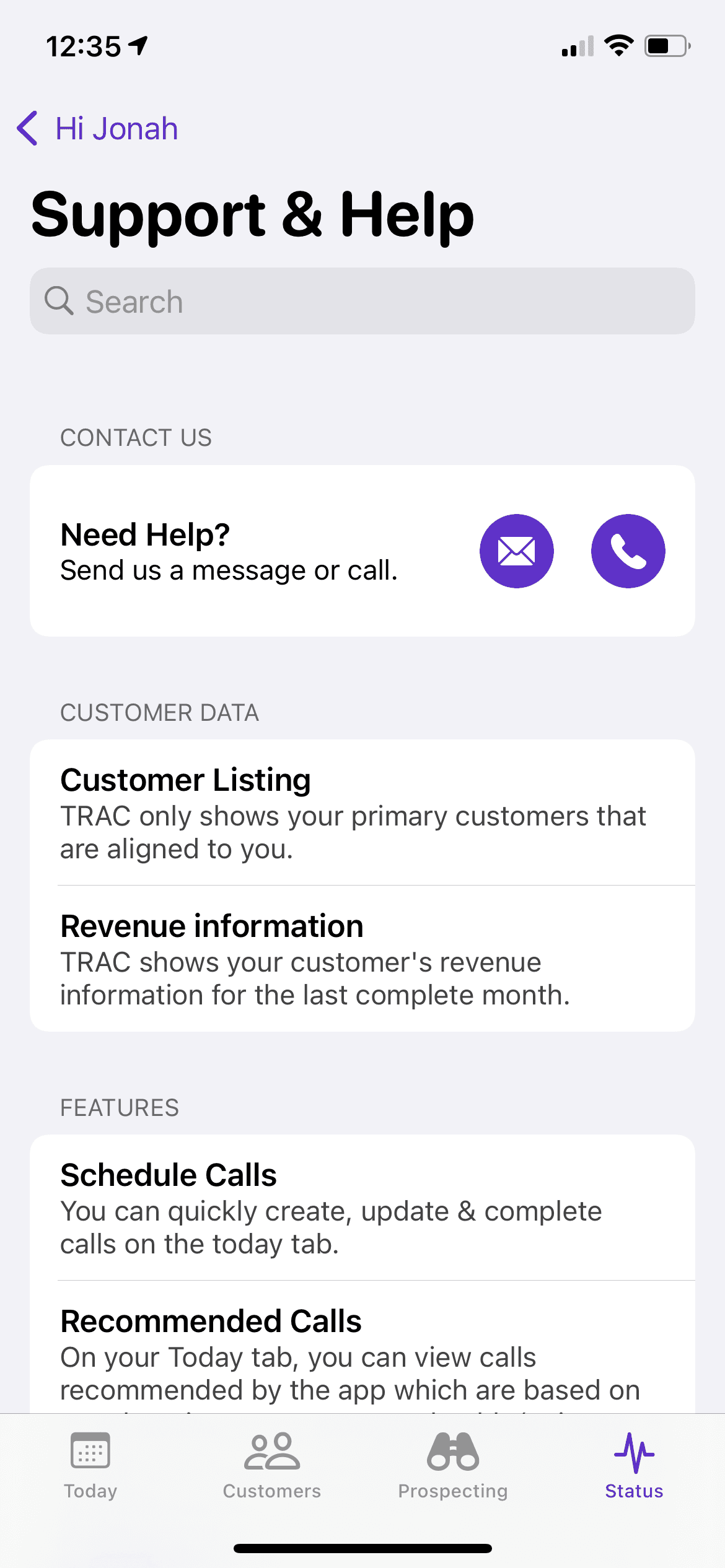
SUPPORT & HELP
Dedicated support via built-in feedback channel
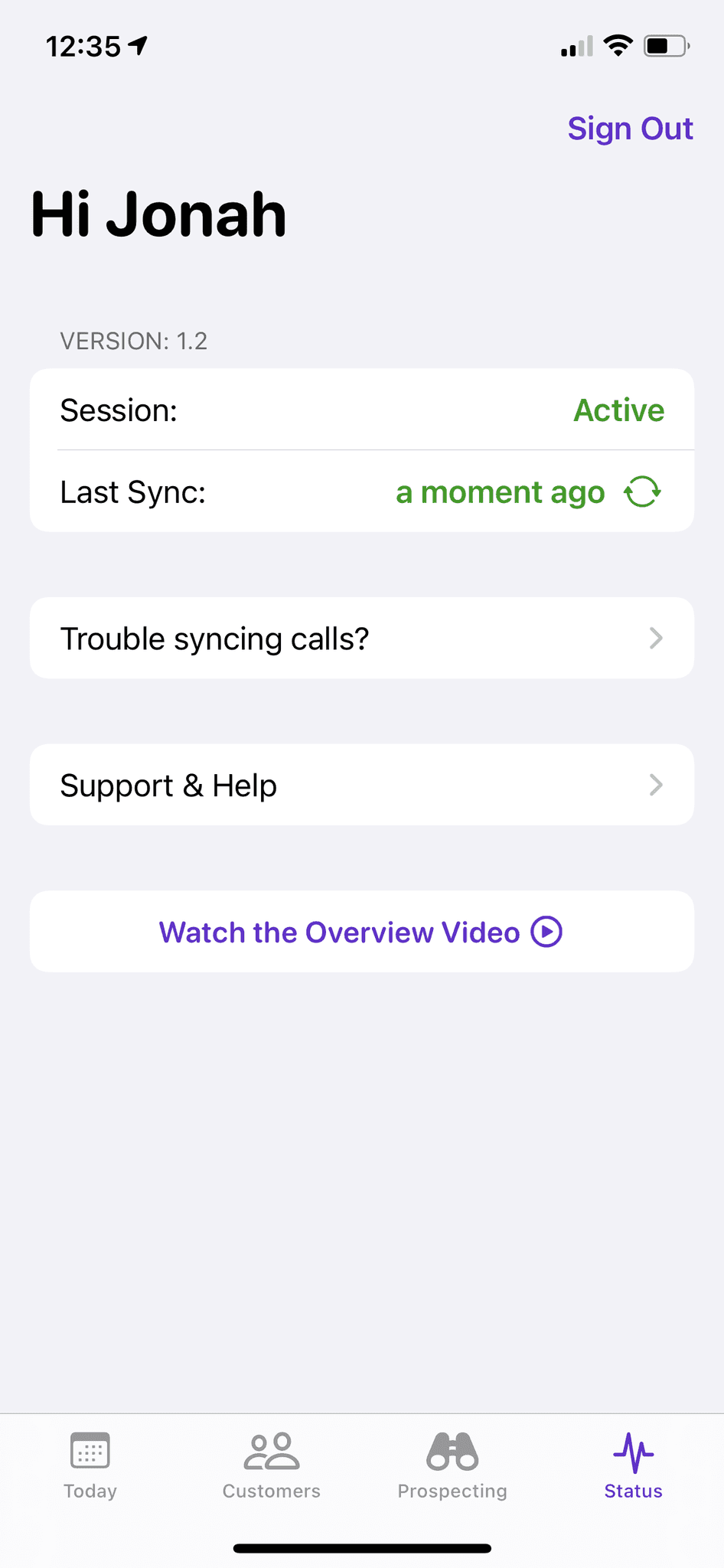
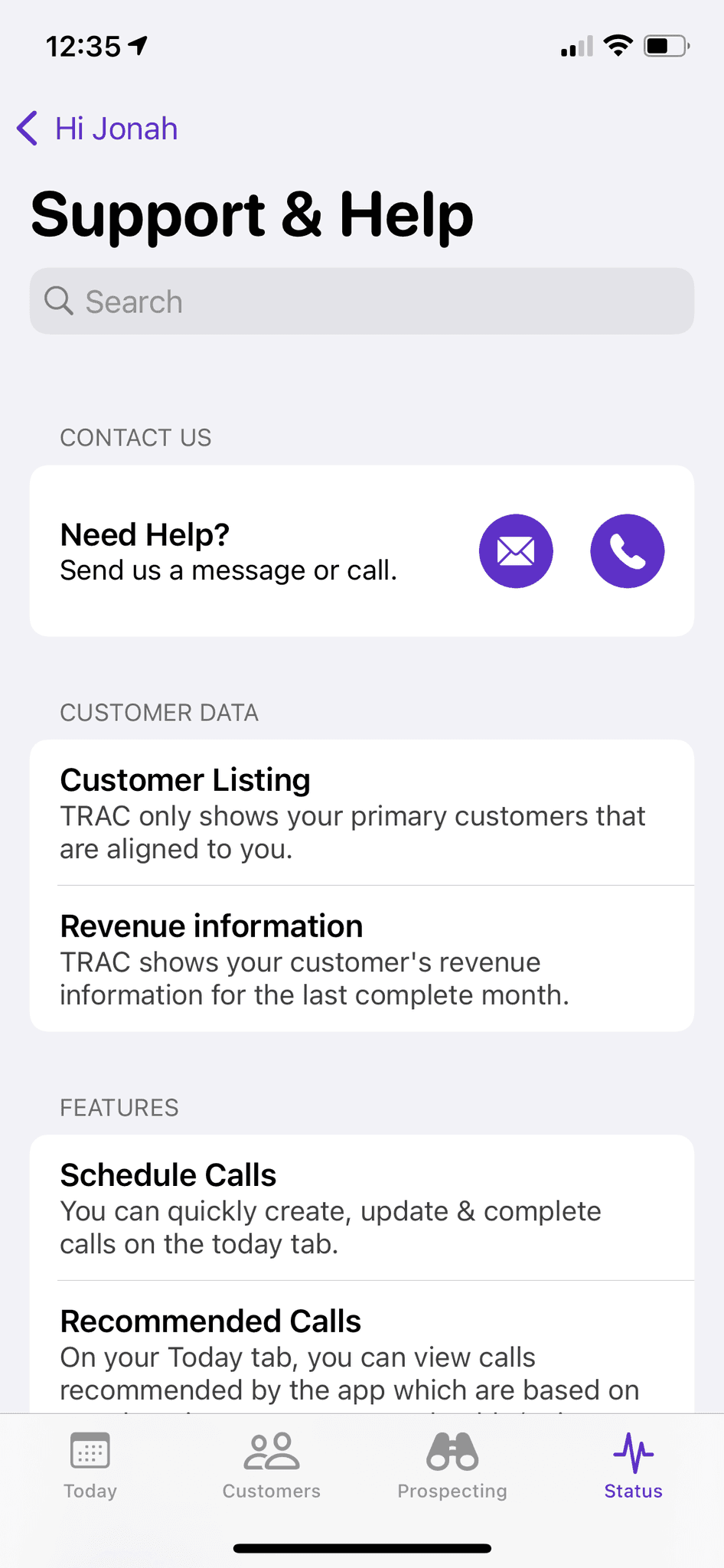
For support with any app issues, you can quickly email or call our dedicated support team member.
Get up to speed quickly with TRAC's data and features through a concise introduction that answers common questions for first-time users.
🪄 Additional features offering a delightful user experience
⬇️ Watch the TRAC release splash video
Measure app usage and impact on business growth
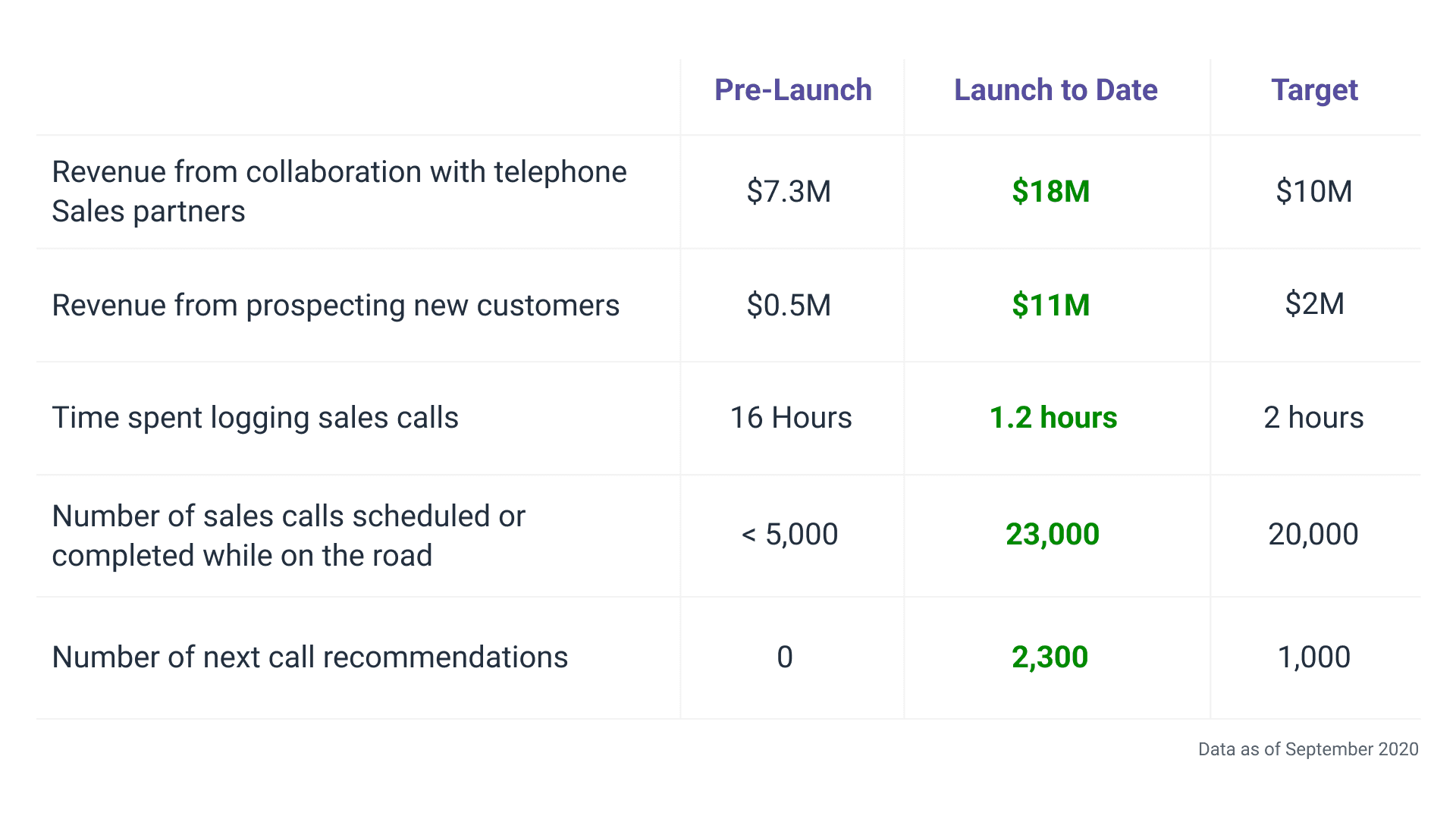
I collaborated with Product stakeholders to define metrics for measuring adoption and retention, tracking user activities like scheduled and completed sales calls, and the use of next-best-call recommendations. Sales users also actively provided feedback through support channels.
100+
Emails
In the first 3 days, Sales emailed their leadership and each other about saving time and loving the app.
Average monthly on-road improvements
In their own words

Nancy Nguyen
Field Sales Account Executive
The app is very intuitive, saves me a lot of time and has changed the way I look at Territory/Account management while in the field.
I've been more productive and reduced my administrative time in half. I've been speaking about this to my team and really encouraging others to utilize it. I'll be doing a live demo at our next team meeting and am excited to spread the TRAC gospel!

Tony Rusicka
District Sales Manager
Your team nailed it with this app! I was out yesterday making joint calls with a new hire I promoted. Being new it's all about the research...who to contact, call purpose, etc.
We used the app in between our scheduled appointments, and it worked like a champ. It provided a list of accounts near our current location as well as contacts and revenue for each.
Point being we were able to make an additional 4 calls yesterday in which we scheduled appointments with the right contacts, and we advised the customers what we wanted to review with them.....all from the palm of your hand. Outstanding!!!

Meagan Ashley
Field Sales Account Executive
I'm beyond ecstatic with the new app! In my opinion it's the most valuable tool that FedEx has ever created for Sales.
It reduces corruptive selling time and increase efficiencies. It's helped me uncover net new business, increased my call count, helped me become more productive, and the list goes on!
Continuous iteration with user feedback
After the initial release of TRAC, I continued to improve user experience and introduce new features. One of the most impactful additions to TRAC has been Prospecting.
A typical Field Sales geographic coverage area encompasses approximately 8,000 new FedEx customers. These customers represent significant revenue potential, yet they lack dedicated account managers for retention and growth with FedEx.
This disconnect leads to limited visibility for Sales, complicating proactive selling efforts. Sales often navigate their territories blindly, identifying potential customers at random. They must depend on gut feelings and conduct extensive research before making a customer approach.
Opportunity Statement
How might we streamline access to information for Sales about prospective customers, enabling more efficient business growth strategies?
How do Sales currently grow new business?
I conducted ethnographic research by shadowing a Field Sales representative in the greater Chicago area for a day. Following this, I engaged with more Sales users in 1:1 interviews to identify consistent patterns in their current workflows.
Below: Journey mapping of current processes
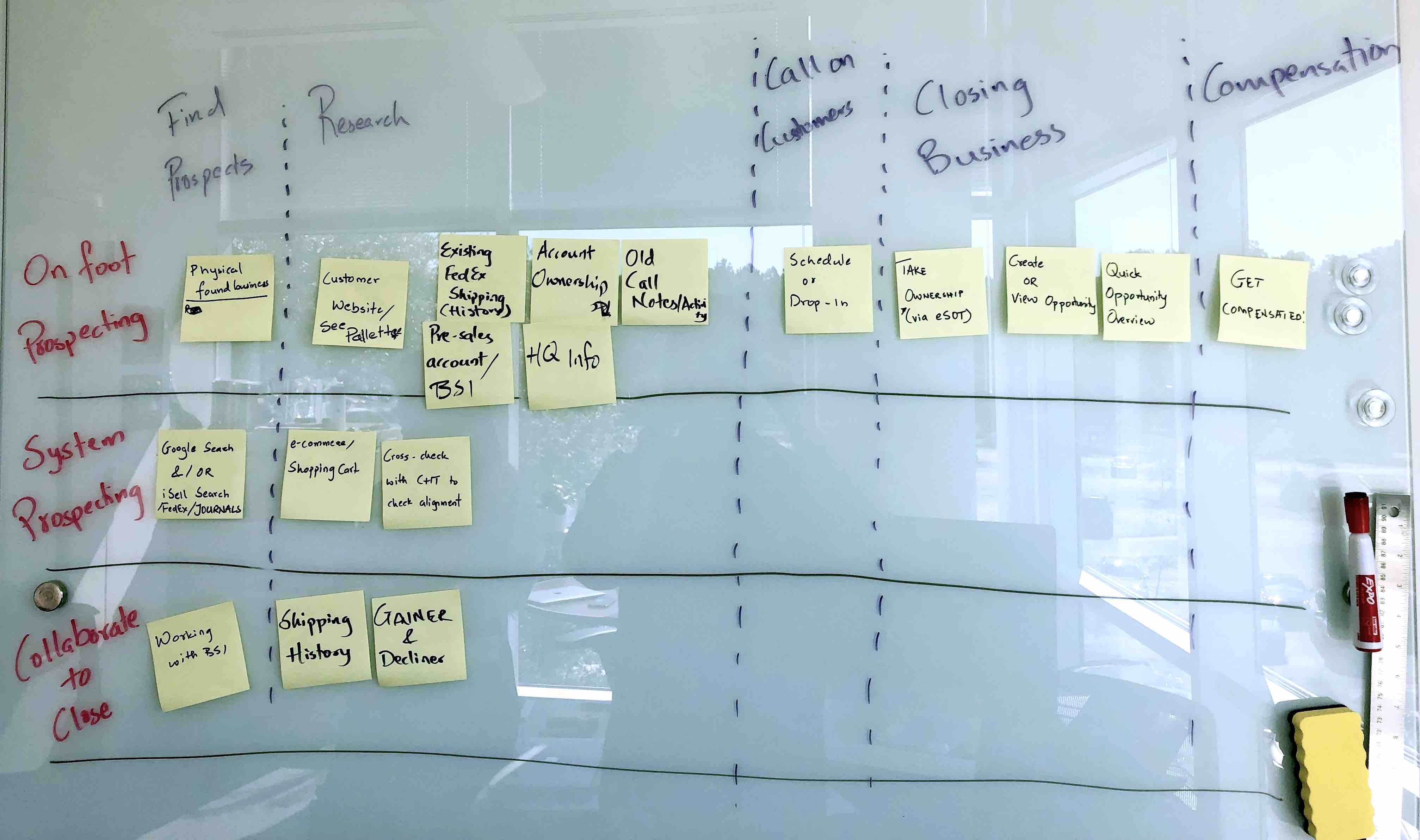
The typical Prospecting journey involves identifying potential customers, conducting research, making initial calls, and closing deals to earn compensation. Unlike retaining existing customers, Prospecting entails managing a larger customer list and conducting more extensive research on each prospect.
The key to success is the ability to quickly narrow down the list using important facts, such as historical shipping volumes and revenue patterns.

The "Aha!" moment
The philosophy behind Prospecting parallels the search for a good restaurant.
Like choosing a restaurant, Sales sift through options, examine menus and reviews, and settle on the best fit. They need quick, comprehensive customer facts to decide on further exploration.
Efficient customer prospecting made simple
Inspired by this philosophy, I designed a new feature that enables Sales to quickly assess a customer's growth potential, along with relevant calls-to-action that facilitate selling.
It seamlessly integrates existing and new functionalities like map view and customer detail pages, ensuring a streamlined user experience and lower implementation cost.
🧭 Map view: Visualize all nearby potential customers
📈 Efficient prospect identification: Utilize geographical proximity, shipping activity, revenue trends, and last call date
💾 Save or schedule: Easily add customers to your list or schedule calls directly from the app
🔍 Streamlined research: Access pre-filled web searches for efficient customer research
Prospecting during the pandemic
The release of Prospecting happened just as the Covid-19 pandemic put Sales at home to make virtual calls on customers. It was a challenging time for Field Sales, as their job traditionally requires in-person meetings and on-foot prospecting.
This new feature provided Sales with a substantial list of potential new business opportunities during this remote period.
Additional revenue per month
1,600
Additional sales calls made
Research hours saved per month